Working from home sounds simple until clutter starts slowing everything down. Papers pile up. Cables spread everywhere. Tools disappear when needed most. A disorganized workspace quietly reduces focus, energy, and output. The solution is not buying expensive furniture. It is building a system that supports how you actually work every day.
Many professionals underestimate how much their environment affects performance. Poor desk layout increases fatigue. Visual noise increases distraction. Missing storage wastes time. When your workspace works against you, productivity drops even if motivation stays high.
This guide explains exactly how to organize a home office step by step. You will learn practical layout rules, storage strategies, cable management methods, lighting improvements, and daily maintenance habits that create a clean and efficient workspace that stays organized long-term.
How do you organize a home office step by step?
Start by removing clutter, defining work zones, selecting ergonomic furniture, optimizing lighting, managing cables, adding vertical storage, and creating a daily reset routine. A structured workspace reduces distractions, improves posture, saves time, and increases productivity by making tools easier to access and tasks easier to complete consistently.
Organizing a home office is not about decoration. It is about workflow efficiency. The goal is to remove friction between you and your tasks.
Follow this proven sequence:
- Clear every surface completely
- Keep only essential work tools
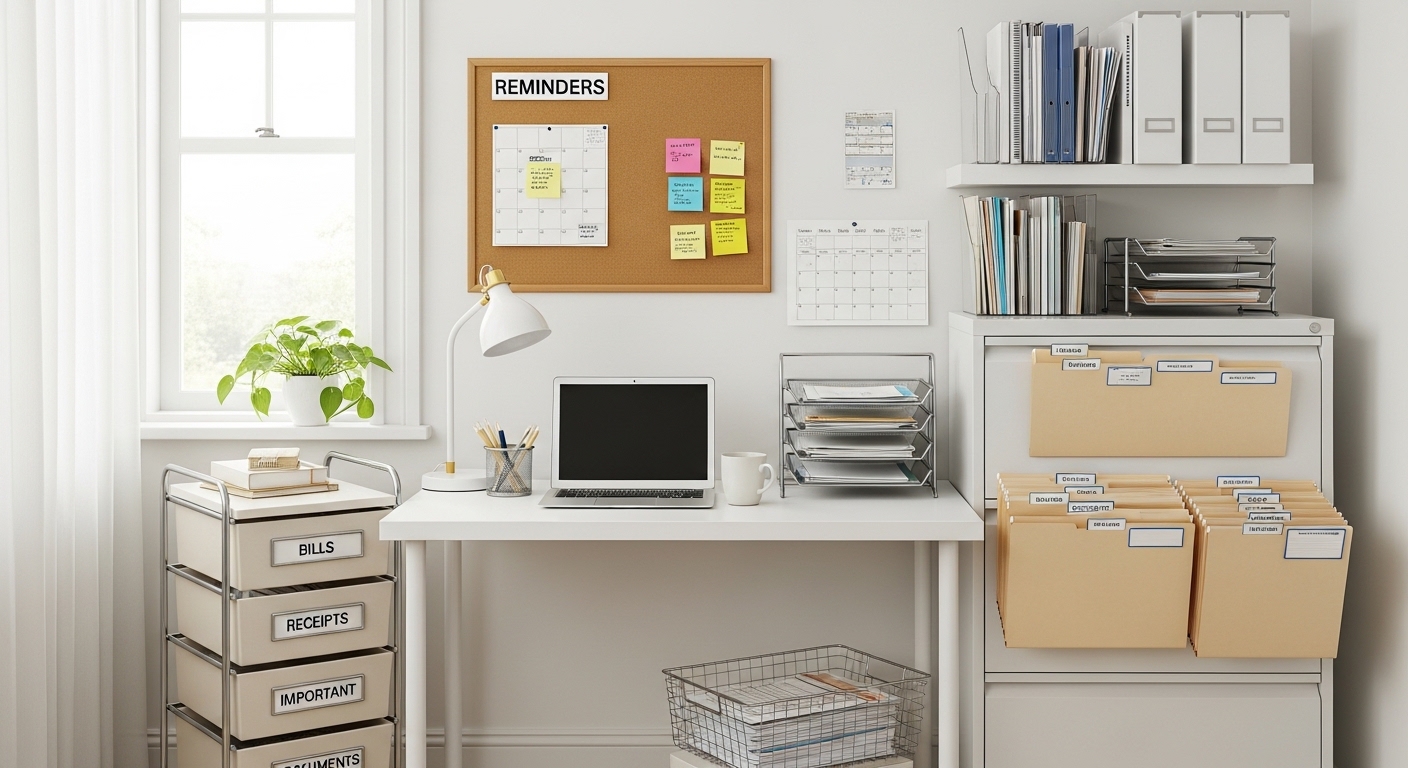
- Separate digital and paper storage
- Create task-based desk zones
- Improve lighting direction and brightness
- Install vertical shelving
- Build a daily reset habit
Start with a blank workspace whenever possible. Removing everything helps identify what truly belongs on the desk. Most productivity experts recommend keeping fewer than 10 permanent desk items.
Next, assign positions for each category: writing, computing, storage, and reference material. This reduces decision fatigue during work sessions.
Finally, create a maintenance routine. Organization fails when systems are temporary. A workspace should reset itself automatically through simple habits repeated daily.
What is the best layout for a productive home office?
Place your desk near natural light, position your screen at eye level, keep frequently used items within arm’s reach, and separate storage zones from active workspace areas. A structured layout reduces physical strain, improves concentration, and supports longer focused work sessions without interruptions.
Layout determines how efficiently your brain processes information throughout the day. A poor layout creates micro-distractions that accumulate into lost hours.
Position your desk facing either a wall or window. Facing doors increases distraction frequency. Facing clutter increases cognitive load.
Follow these placement rules:
- Keep monitor 20–30 inches from eyes
- Place keyboard at elbow height
- Keep notebook within dominant-hand reach
- Store files behind or beside chair position
Divide your workspace into three functional zones:
- Primary work zone (keyboard, monitor)
- Reference zone (documents, planner)
- Storage zone (drawers, shelves)
Separating zones prevents workspace overlap. This helps maintain visual clarity and improves task switching speed.
What furniture helps organize a home office effectively?
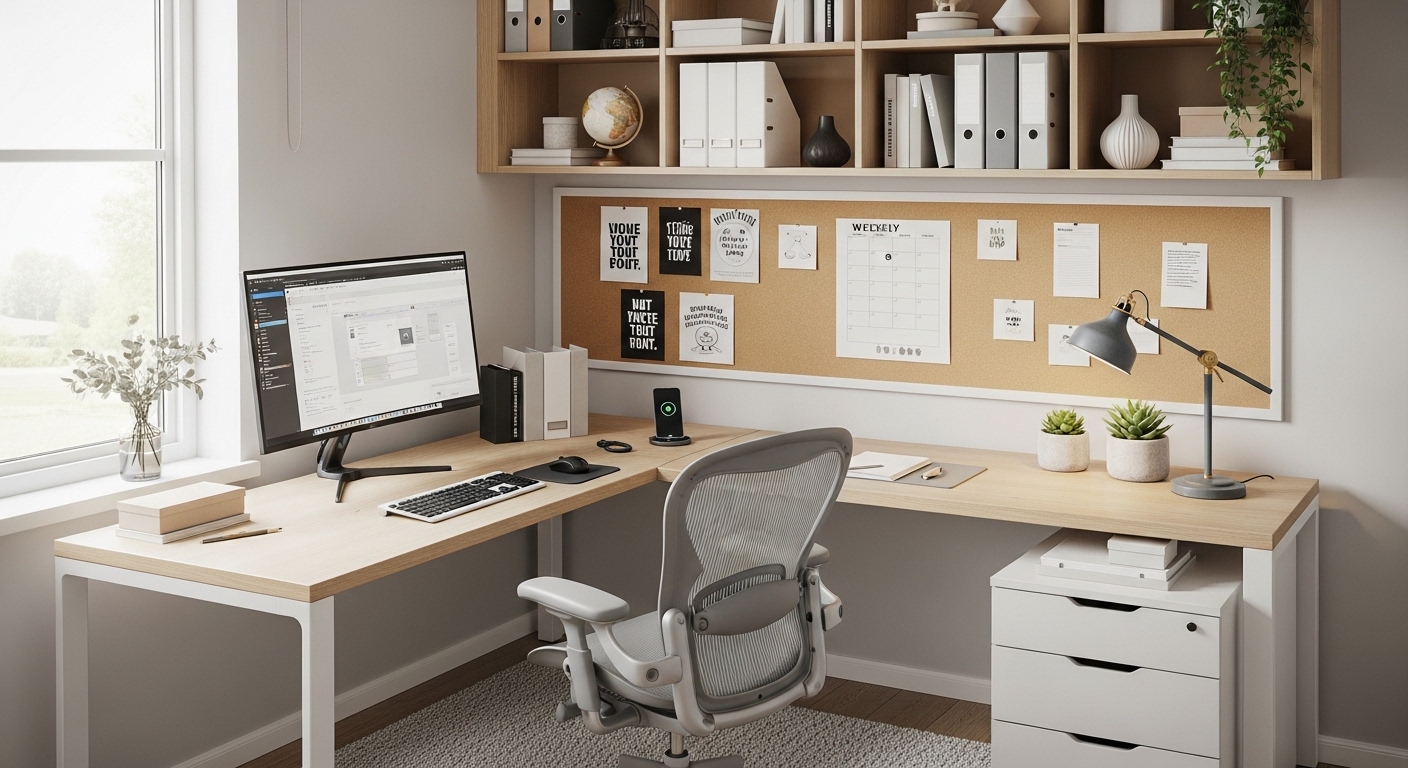
Choose an adjustable chair, compact desk with drawers, vertical shelving units, cable organizers, and document trays. Functional furniture reduces clutter by assigning a defined place for each tool, improving posture and workspace efficiency while supporting long-term organization habits.
Furniture decisions affect both comfort and productivity. Many people choose desks based on appearance instead of usability.
Focus on function first.
| Furniture Type | Purpose | Productivity Benefit |
|---|---|---|
| Adjustable chair | Supports posture | Reduces fatigue |
| Desk with drawers | Hidden storage | Reduces surface clutter |
| Wall shelves | Vertical organization | Saves floor space |
| Monitor stand | Raises screen height | Improves neck alignment |
| File cabinet | Paper storage | Speeds document retrieval |
Avoid oversized desks unless required. Large surfaces attract clutter. Compact desks encourage intentional organization.
Vertical shelving multiplies storage capacity without increasing floor footprint. This is especially useful in small apartments and shared rooms.
How can you reduce clutter in a home office quickly?
Remove duplicate tools, digitize paper documents, limit desk items to essentials, assign storage zones, and discard unused supplies monthly. Decluttering improves concentration by reducing visual noise and making workspace navigation faster and more predictable during daily tasks.
Clutter increases decision fatigue. Every visible object competes for attention.
Start with a 20-minute reset method:
- Remove everything from desk surface
- Return only daily-use tools
- Store weekly-use items in drawers
- Archive monthly-use items on shelves
Digitizing documents produces immediate results. Scan receipts, notes, and references using mobile apps or desktop scanners.
Set a physical item limit rule. For example:
- Maximum two notebooks
- Maximum one pen holder
- Maximum one reference tray
Limits force prioritization. Prioritization improves organization stability.
How do you organize cables and tech equipment properly?
Bundle cables using clips, label chargers clearly, mount power strips under desks, and separate personal devices from work equipment. Organized cables prevent distractions, improve safety, and make troubleshooting faster when devices need maintenance or replacement.
Cable clutter creates visual chaos even in otherwise clean offices.
Start by grouping cables into categories:
- Power cables
- Charging cables
- Data cables
- Peripheral cables
Mounting a power strip beneath the desk removes visible wiring from floor space. This improves both safety and appearance.
Use labeled cable sleeves for chargers. This prevents confusion when multiple adapters look identical.
Wireless devices also reduce cable density. Consider switching to wireless keyboard, mouse, or headphones if workspace size is limited.
How can lighting improve home office organization and focus?
Position your desk near natural light, add adjustable task lighting, reduce screen glare, and maintain consistent brightness levels throughout the workspace. Proper lighting reduces eye strain, improves alertness, and helps maintain an organized visual environment that supports long work sessions.
Lighting affects productivity more than most people expect. Poor lighting increases mistakes and reduces reading speed.
Use layered lighting:
- Ambient lighting for room coverage
- Task lighting for desk clarity
- Accent lighting for background balance
Place task lamps opposite your writing hand. This prevents shadow overlap while working.
Avoid overhead-only lighting. It creates uneven contrast between desk and surroundings.
Consistent brightness reduces eye fatigue during long digital sessions.
What daily habits keep a home office organized long term?
Spend five minutes resetting your desk daily, return tools to assigned locations, review pending documents weekly, and remove unused materials immediately. Small maintenance habits prevent clutter buildup and ensure your workspace stays efficient without requiring major reorganization sessions.
Organization fails without maintenance systems.
Adopt a simple reset routine:
- Clear desk before ending workday
- Close unused browser tabs
- Return notebooks to storage zone
- Charge essential devices
Weekly reviews help remove slow-growing clutter that daily resets miss.
Monthly audits identify tools that are no longer necessary. Removing unused items preserves workspace clarity.
Consistency matters more than intensity. Five minutes daily beats one hour monthly.
Conclusion: How can you build a home office that stays organized?
An organized home office is not created by buying furniture. It is built through structure, placement, and habits that reduce friction between you and your work. Clear surfaces improve focus. Defined zones reduce movement waste. Lighting improves endurance. Storage systems protect workflow continuity.
Start with a full reset. Remove clutter. Define zones. Upgrade lighting. Install vertical storage. Manage cables. Then maintain everything with a five-minute daily routine.
If you apply these steps today, your workspace will begin supporting productivity immediately instead of competing with it. Choose one improvement from this guide and implement it now. Small structural changes create lasting performance gains.
Frequently Asked Questions
What should be on a home office desk?
Keep only essential daily tools such as your computer, notebook, pen holder, task lamp, and planner. Limiting desk items reduces distractions and improves focus while making cleaning faster and workspace navigation easier during work sessions.
How big should a home office desk be?
A desk between 40 and 60 inches wide supports most professional workflows. It provides enough space for a monitor, keyboard, and writing area without encouraging clutter accumulation that reduces workspace efficiency.
Where should a home office be located in a house?
Choose a quiet area with natural light and minimal foot traffic. Separate workspaces from bedrooms when possible to maintain mental boundaries between productivity and rest environments.
How do I organize paperwork in a home office?
Sort documents into active, archive, and discard categories. Store active papers in trays, archive files in labeled folders, and digitize records whenever possible to reduce physical storage needs.
What colors improve productivity in a home office?
Neutral tones such as white, light gray, and soft blue improve concentration. These colors reduce visual stress and create a calm environment that supports sustained attention during complex tasks.
How often should I clean my home office
Perform a quick daily reset, a weekly surface cleaning, and a monthly storage review. Regular maintenance prevents clutter accumulation and keeps the workspace functional long term.
Can a small space become an effective home office?
Yes. Use vertical shelving, compact desks, wall-mounted lighting, and cable organizers to maximize limited space while maintaining a structured and distraction-free environment.
Read More Also: The Simple Art of Painting Laminate Countertops for Stunning Results
Learn More: Ways to Implementing Modern House Interior Color Schemes