Parents trust baby monitors as their silent guardians, devices that keep watch while their little one sleeps peacefully. But what if the very tool meant to protect becomes a doorway for intruders? The thought of your baby monitor being hacked can trigger real fear and urgency. Unfortunately, this concern is not just hypothetical. Over the past few years, several reports from parents worldwide have revealed instances of strangers speaking through monitors or accessing live camera feeds without permission.
If you’ve ever felt uneasy about that blinking light or odd background noise on your device, keep reading. This guide explores how to tell if your baby monitor has been hacked, what signs to watch for, and how to protect your home network. Whether you use audio models or video baby monitors, understanding the signs of a compromised system gives you peace of mind and control.
Why Baby Monitors Are Targets for Hackers
Hackers typically aim for easy entry points, and baby monitors can be one of them. These devices often connect through Wi-Fi or cloud networks, and if they’re not properly configured, they offer weak spots for intrusion.
According to industry experts, smart home devices without strong encryption or regular firmware updates are particularly vulnerable. The appeal for hackers isn’t always to cause harm. Sometimes it’s curiosity or testing digital boundaries. But for parents, any unauthorized access is unacceptable.
Common reasons baby monitors get hacked:
- Weak default passwords that are never changed.
- Outdated firmware with known security flaws.
- Monitors connected to unsecured or public Wi-Fi networks.
- Mobile apps linked to compromised accounts.
- Lack of two-factor authentication.
When left unguarded, these small gaps create a large portal for someone with malicious intentions to peer into private family spaces.
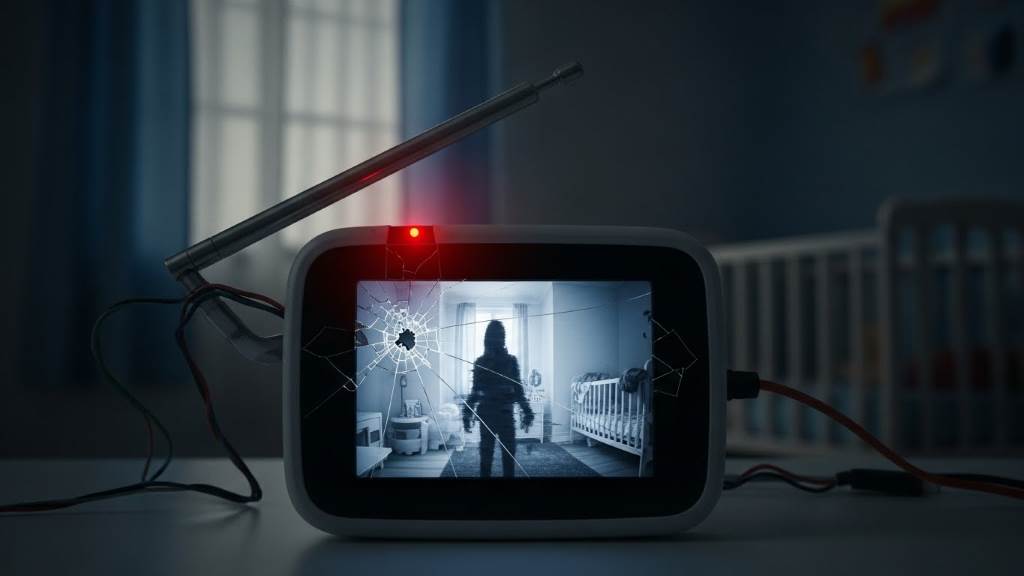
Clear Signs Your Baby Monitor Might Be Hacked
From odd sounds to spontaneous movements of the camera, subtle warnings often emerge before a serious breach. Here are the most noticeable indicators.
1. Strange Sounds or Voices
Hearing unfamiliar voices through your monitor is a red flag. Some parents have reported hearing static, music, or people speaking through their devices when no one else was connected. If that occurs, unplug the monitor immediately and change your network credentials.
2. Unusual Camera Movement
Motorized baby monitors can pan, tilt, or zoom remotely. If your camera turns, zooms, or resets on its own. Especially when you’re not controlling it. It could mean someone else has access.
3. Light Indicators Acting Oddly
Many monitors feature small LED lights to signal power or connectivity. Watch for lights that flash, change color unexpectedly, or stay on even when the device is off. These anomalies could point to unauthorized usage or software issues stemming from interference.
4. Network Activity Spikes
According to cybersecurity professionals, unexplained network activity is one of the strongest indicators of hacking. Check your router’s logs or use a network monitoring app. If your monitor communicates heavily when you’re not streaming video or audio, it could be transmitting data elsewhere.
5. Slow or Lagging Performance
When devices lag or freeze without reason, it could mean your network is overloaded possibly by unauthorized traffic. Hacked devices often operate sluggishly due to background data being sent.
How Hackers Gain Access to Monitors
Understanding the methods hackers use helps you recognize how to stop them before they succeed.
1. Exploiting Default Passwords
Most baby monitors ship with factory-set passwords. Cybersecurity specialists note that many users never change them, leaving devices open to generic credential attacks.
2. Unsecured Apps and Software
Mobile applications used to control monitors can become a weak link. If the app lacks updates or permissions are poorly managed, hackers might infiltrate through software vulnerabilities or phishing attempts.
3. Outdated Firmware
Firmware keeps your monitor running safely. When manufacturers release updates, they often include patches for known security bugs. Running outdated firmware leaves old backdoors unlocked.
4. Wi-Fi Exploitation
If your Wi-Fi router uses outdated security protocols or has a weak password, it’s relatively easy for hackers to infiltrate your network and from there, access connected devices like your baby monitor.
How to Check If Your Monitor Has Been Hacked
Before jumping to conclusions, take a systematic approach to testing your device’s integrity. Follow these steps:
- Disconnect the device immediately. Unplug or turn off the monitor and camera.
- Inspect router logs. Look for strange devices or foreign IP addresses connected to your network.
- Reset the monitor. Restore factory settings to remove unauthorized configurations.
- Update software and firmware. Download the latest version from the manufacturer’s support center.
- Run a security scan. Use reputable security software to ensure no malware is present on your connected phone or tablet.
- Observe the device behavior post reset. If lights, sound, or movement still act unexpectedly, stop using it and contact manufacturer support.
How to Prevent Baby Monitor Hacking
Once you’ve ruled out or fixed a breach, prevention is everything. A few smart practices can keep your baby’s digital safety intact.
1. Create Strong, Unique Passwords
Use long and complex passwords combining letters, numbers, and symbols. Avoid using the same password across multiple devices. Security experts emphasize changing default credentials as soon as possible after setup.
2. Enable Two-Factor Authentication
Where possible, activate two-factor or two-step authentication. This adds a protective barrier even if your login details are exposed.
3. Secure Your Wi-Fi Network
- Use WPA3 encryption or at least WPA2.
- Rename your network SSID to something non-identifiable.
- Keep your router firmware updated.
- Disable remote access or guest networks unless needed.
4. Keep Firmware Updated
Manufacturers often issue updates that patch vulnerabilities and improve stability. Setting your monitor to auto-update ensures constant protection.
5. Disable Remote Access When Unnecessary
Remote view features are convenient but risky. Turn them off unless you actively need them. The less exposure a device has, the safer it remains.
6. Invest in Encrypted Systems
According to manufacturer guidelines, digital monitors with end-to-end encryption are significantly more secure than analog versions. Before purchasing, verify that the product provides encrypted data transmission.
Analog vs Smart Wi-Fi Monitors: Which Is Safer?
While analog monitors operate on radio frequencies and avoid internet exposure, they can still be intercepted with specialized equipment. Wi-Fi monitors, on the other hand, provide convenience but introduce cyber risks if not secured.
Analog:
- Less prone to online hacking.
- Can experience signal interference.
- Lacks advanced remote monitoring features.
Wi-Fi-based:
- Offers app connectivity, cloud storage, and smart alerts.
- Vulnerable to breaches if unprotected.
- Benefits from encryption and frequent firmware updates.
The key differences lie not in the device type itself but in how you secure it. With strong encryption and modern security settings, even Wi-Fi models can be very safe.
Testing Your Monitor’s Security
You can perform your own audit using these practices:
- Run a penetration test on your home Wi-Fi using professional-grade tools recommended by IT specialists.
- Block unknown devices from connecting to your network.
- Regularly reset credentials for all smart devices.
- Disable UPnP (Universal Plug and Play) on your router a common entryway for hackers.
- Rename device defaults so cybercriminals cannot identify system models easily.
These proactive steps help minimize your monitor’s exposure and strengthen your home network’s overall cybersecurity.
What to Do If You Confirm a Breach
If you have solid evidence your monitor is hacked, act decisively and avoid panic. Here’s what professionals recommend:
- Shut down the device immediately. Unplug it to stop activity.
- Change all passwords. Update Wi-Fi, device, and app credentials immediately.
- Reset your router and monitor. Restore them to a clean, factory condition.
- Update your firmware. Apply the latest security patch.
- Contact the manufacturer. Report the issue and seek professional support.
- Inform your Internet Service Provider (ISP). They can help detect secondary intrusions.
- Consider upgrading. Some older models lack modern encryption and cannot be fully secured.
Taking swift, educated action minimizes both current risks and future exposures.
Building a Habit of Cyber Awareness
Parental instincts don’t stop at the nursery door. Applying cybersecurity practices daily ensures long-term protection. Treat baby monitor security just like home safety lock the digital doors too.
Adopt these everyday habits:
- Review device activity weekly.
- Store your monitor indoors and out of direct exposure.
- Cover the camera lens when not in use.
- Avoid connecting your monitor to public or guest Wi-Fi networks.
- Discuss safe practices with anyone else who has access, such as caregivers or relatives.
By turning secure habits into routine behavior, you’ll stay one step ahead of digital threats.
When Should You Replace Your Monitor?
Baby monitor technology evolves rapidly. Experts suggest reviewing device life cycles every two to three years. Outdated models may not support new-level encryption or receive timely firmware updates.
If your current monitor:
- Fails to update regularly.
- Lacks secure login or two-factor authentication.
- Shows recurring technical issues.
- Comes from an unresponsive or discontinued brand.
It’s time to consider an upgrade. Investing in a newer model isn’t just about convenience. It’s about safety.
Stay Connected, Stay Protected
Your baby’s safety is priceless, and your peace of mind depends on both vigilance and technology. By knowing the warning signs, maintaining updated systems, and following expert-recommended safeguards, you can enjoy the benefits of technology without the fear of intrusion. Treat your monitor as part of your secure smart home network, not a standalone device.
When it comes down to it, a well-protected baby monitor keeps intruders out and loved ones safely in sight exactly as it should be.